School of Computer Science, UPES, Dehradun
Ranked #43 among Engineering colleges in India by NIRF | Get Upto 100% Scholarships


How to Download ITI Marksheet from Skill India Digital? Ministry of Skill Development and Entrepreneurship (MSDE) has provided the ITI Marksheet from Skill India Digital online. Eligible candidates will be able to download ITI Marksheet and certificate from the official website, skillindiadigital.gov.in. To download the marksheet, students will need their PNR number and date of birth. ITI Marksheet from Skill India Digital is a very important document that validates a candidate's credibility and skills. Read the complete article for more details on how to download the ITI marksheet from Skill India Digital.
Also check: ITI Admission | ITI Certificate
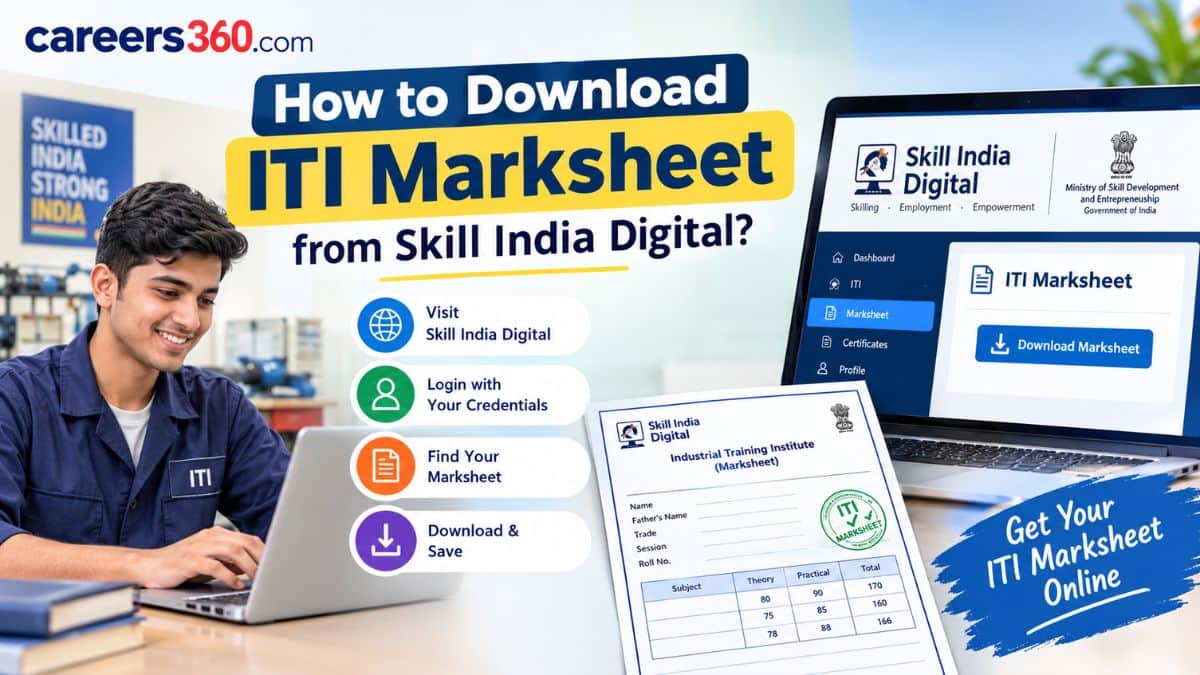
Eligible candidates can follow the mentioned steps to download the ITI marksheet and certificate. The entire process will be done in an online mode on the official website of Skill India Digital.
Go to the official website of Skill India Digital, skillindiadigital.gov.in.
On the homepage of the official website, candidates must check for the ITI result link.
Click on the result link, which will open two options: CTS and CITS. Select the first option, CTS.
After that, candidates will have to enter their PRN number.
Now, candidates must enter the complete roll number with R at the beginning.
Finally, they are required to enter their date of birth and click on Submit.
After submitting, the basic ITI result will appear on the screen.
However, to download the detailed marksheet or certificate, candidates will have to log in.
Begin by clicking on the Login option at the top of the window.
Now, select the CTS and select the last option, ‘Trainee’.
Now, candidates must enter the same PRN number as before, which begins with R and enter the date of birth. Then click on Login.
After logging in, the candidate’s personal dashboard will appear. Their name will be displayed at the top, along with several options.
Candidates will now have to click on the ‘Download Marksheet’ option. The marksheet status will show as Generated. Under the Action section, there will be three dots. Click on them and then select Download Marksheet.
The ITI Marksheet will be downloaded. Save it as a PDF or take a printout.
Similarly, go back to the dashboard and click on Download Certificate.
Its status will also show as Certificate Generated.
Click on the Action option and then select Download Certificate.
Here are the details that is mentioned in the ITI Marksheet.
Candidate's roll number.
Candidate's Trade Name
ITI Code
Exam Session
ITI Name
Academic Session
Summative Assessment
Marks Secured
Total Mark Secured
Result release date
Ranked #43 among Engineering colleges in India by NIRF | Get Upto 100% Scholarships
Diploma (17 Specializations), B.Tech / B.Tech (Hons.) / IE-B.Tech - 4 years - 25+ specializations | M. Tech - 14+ specializations | Highest CTC – 60 LPA


Ranked #43 among Engineering colleges in India by NIRF | Get Upto 100% Scholarships
Diploma (17 Specializations), B.Tech / B.Tech (Hons.) / IE-B.Tech - 4 years - 25+ specializations | M. Tech - 14+ specializations | Highest CTC – 60 LPA
Scholars’ Round Deadline: 14th Nov’26 | Earn upto 50% merit Scholarship + 10% for top performers | EFMD Accredited | AACSB (USA) & AMDISA Member | Highest CTC 28 LPA
60+ Years of Education Legacy | UGC & AICTE Approved | Prestigious Scholarship Worth 6 Crores
Special Scholarship for Students from Goa (Get an exclusive scholarship of ₹20,000 if you're a Goa-based student) | Bringing Parul Education Trust's 30-year Education Legacy to Goa
NAAC A+ Grade | Affiliated to VTU & approved by AICTE.